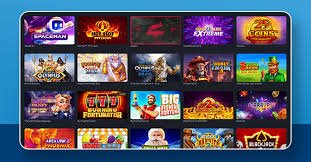
Get the full fc168 gaming experience on your Android or iOS device. Install takes less than two minutes and you'll have instant access to sports betting, live casino, slots, and more — all in Philippine Peso.
The fc168 app is available for both Android and iOS. You can also access the full platform directly from your mobile browser without any download required.
Download the fc168 APK directly onto your Android device. Compatible with Android 6.0 and above, the app is lightweight, fast, and easy to install even on entry-level smartphones.
iPhone and iPad users can access fc168 through a streamlined mobile web app experience. Add fc168 to your home screen for a near-native feel without taking up storage on your device.
Prefer not to install anything? No problem. fc168 is fully optimised for mobile browsers. Just visit the site on Chrome, Safari, or any modern browser and you're ready to play instantly.
Installing the fc168 app on Android is quick and straightforward. Since the app is distributed as an APK file outside the Google Play Store, you'll need to allow installation from unknown sources — a standard one-time setting. Here's how to do it:
Open your mobile browser and navigate to the Download section of the fc168 website. You're already here — tap the Android download button above to get started.
Go to your phone's Settings, then Security or Privacy, and enable "Install apps from unknown sources" or "Allow from this source" when prompted. This is a standard Android setting and safe to enable for trusted apps.
Once the APK file has finished downloading, tap it from your notification bar or file manager. Follow the on-screen prompts to complete the installation. The process takes under a minute on most devices.
Open the fc168 app, then log in with your existing account or register a new one. Complete OTP verification to secure your account and start playing straight away.


iPhone and iPad users can enjoy a smooth, app-like experience with fc168 without needing to visit the App Store. Here's how to set it up in just a few steps using Safari:
Make sure you're using Safari — this method works best with Apple's built-in browser. Navigate to fc168.vu in the address bar.
At the bottom of the Safari screen, tap the Share icon (the square with an arrow pointing upward). This opens the sharing menu.
Scroll down in the share menu and tap "Add to Home Screen." Give it a name if you'd like, then tap "Add" in the top right corner.
The fc168 icon will now appear on your iPhone home screen. Tap it to launch the platform in a full-screen, app-like interface — no browser UI, just the game.
The fc168 mobile app isn't just a scaled-down version of the website — it's a fully featured gaming platform built specifically for on-the-go use. Whether you're commuting in Manila or relaxing at home in Cebu, the app delivers a consistent, high-quality experience.
Optimised for Philippine mobile networks, including standard LTE connections. Games and pages load quickly even on mid-range devices.
Every session on the fc168 app is protected by SSL encryption. Your account credentials and transaction data are always kept private.
Access all slots, live casino tables, sports betting markets, eBingo, and the complete game lobby — the same content available on desktop.
Stay updated on your bets, account activity, and platform announcements through in-app notifications delivered in real time.
Deposit and withdraw in Philippine Peso directly from the app. No currency switching or conversion fees involved.
Manage your fc168 account, update personal details, view transaction history, and complete KYC verification all from within the app.

While the browser version of fc168 works perfectly well, the dedicated app offers a few practical advantages for regular players:
The fc168 app is designed to run smoothly on a wide range of devices common in the Philippines market, including mid-range and budget smartphones.
Both options give you full access to fc168. Here's a side-by-side look to help you decide which suits your style best.
| Feature | fc168 Android App | Mobile Browser |
|---|---|---|
| Full Game Library | Yes | Yes |
| Sports Betting | Yes | Yes |
| Live Casino | Yes | Yes |
| PHP Wallet | Yes | Yes |
| Home Screen Shortcut | Yes | Manual setup |
| No Installation Needed | APK required | Yes |
| Push Notifications | Yes | Limited |
| Optimised Touch UI | Yes | Yes |
| Storage Required | ~100 MB | Minimal (cache only) |
Available on Android, iOS, and all mobile browsers. Create your free account, fund your PHP wallet, and explore hundreds of games. Remember to play responsibly — 21+ only.